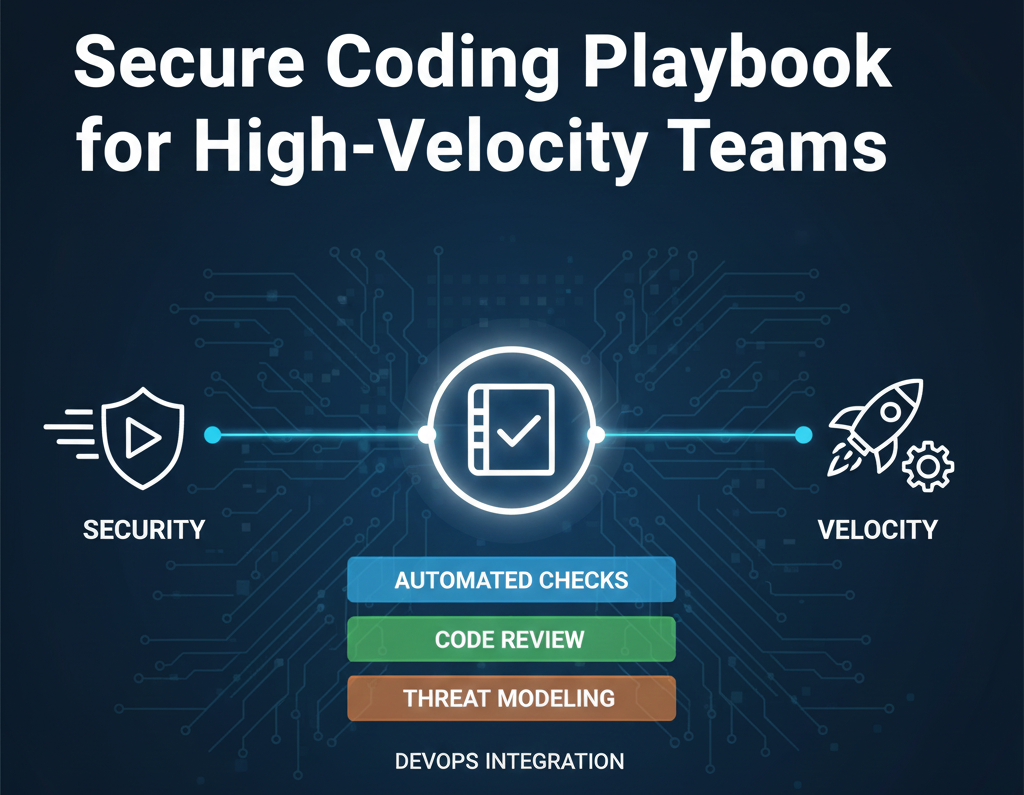
The Paradox: Speed vs. Security
Your team moves fast. Sprints are two weeks. Deployments happen daily. Feature branches merge constantly. And then security becomes a blocker: "We can't ship this until it passes the code review." "SAST scanning flagged 15 issues." "Database migrations need approval from the security team."
This friction is real, and it's killing productivity. Developers see security as an obstacle, not a guard rail. They work around it, disable checks, or rationalize shortcuts ("this is just temp code," "we'll fix it later").
The solution isn't stronger enforcement—it's smarter guardrails. When security controls are baked into the development process, integrated into CI/CD, and give instant feedback, the fastest path to deployment becomes the most secure path. Developers don't have to choose between speed and safety; they get both.
1. The Guardrail Philosophy: Shift Left, Make It Easy
"Shift left" means catching vulnerabilities as early as possible—in the IDE, not in production. But it only works if the feedback is instant, accurate, and actionable.
The Three Principles of Good Guardrails
- Real-time feedback: Developers should know about issues while they're coding, not after the PR is open. IDE plugins, pre-commit hooks, and instant linting save hours of rework.
- Low false positives: If developers ignore 80% of warnings, the guardrail has failed. Tuning rules and whitelisting reduces noise, increasing trust.
- No permission theater: Don't require approval to do the right thing. Guardrails should guide, not gatekeep. If developers want to override a rule, they should be able to—with an audit trail.
Principle in Action: Input Validation
Bad approach: Manual code review 2 weeks after code is written. Developer has moved on. Fix is painful.
Good approach: IDE linter flags unvalidated input in real-time. Developer sees the warning, understands it, and fixes it in seconds using framework recommendations.
2. The Opinionated Guardrails: The Minimum Set That Matters
Not every security rule needs to be enforced everywhere. Focus on the guardrails that prevent the most damage with the least friction. Below are the guardrails every high-velocity team should bake into their workflow.
Guardrail #1: Input Validation & Output Encoding
Risk: SQL injection, command injection, cross-site scripting (XSS) account for 40% of web vulnerabilities.
Implementation:
- Use parameterized queries by default. No string concatenation for SQL.
- Validate all user inputs server-side (never trust the client).
- Use framework templating engines that auto-encode output.
- Linter: SonarQube, Semgrep, or language-specific tools (eslint, pylint) flag unvalidated inputs.
Guardrail #2: No Hardcoded Secrets
Risk: API keys, passwords, and tokens in source code get exposed in Git history forever.
Implementation:
- Use environment variables, vaults (AWS Secrets Manager, HashiCorp Vault), or .env files (with .env in .gitignore).
- Pre-commit hook: TruffleHog, GitGuardian, or detect-secrets scans commits for secret patterns.
- CI/CD scanning: Run secret scanners in every pipeline. Fail the build if secrets are detected.
- Supply chain: Scan dependencies for known leaks (npm audit, pip-audit).
Guardrail #3: Dependency Scanning
Risk: Third-party libraries with known CVEs introduce vulnerabilities that attackers exploit at scale.
Implementation:
- Automated dependency updates: Dependabot, Renovate, or Snyk create PRs for patched versions.
- SCA (Software Composition Analysis): Scan for known vulnerabilities in dependencies on every commit.
- Lock files: Pin dependency versions in package-lock.json, Gemfile.lock, etc.
- Deprecation tracking: Flag outdated frameworks or end-of-life libraries.
Guardrail #4: Proper Error Handling
Risk: Detailed error messages expose database schema, internal paths, or system info to attackers.
Implementation:
- Generic user-facing error messages: "Something went wrong" instead of "Database connection failed: hostname=prod-db.internal".
- Detailed logging server-side: Log full error details with request IDs for debugging, but never expose to clients.
- Static analysis: Tools flag error messages that leak sensitive info (paths, IPs, credentials).
Guardrail #5: Authentication & Session Management
Risk: Weak session handling, missing MFA, and poor token management enable account takeover.
Implementation:
- Use framework-provided session management (never roll your own).
- Enforce HTTPS-only, secure, httpOnly cookies for session tokens.
- Token expiry: Short-lived access tokens (5-15 min), refresh tokens stored securely.
- MFA: Enforce for admin/sensitive operations. Integration: Auth0, Okta, AWS Cognito handle heavy lifting.
- OWASP checklists: Use OWASP ASVS Level 2 as your benchmark for authentication requirements.
Guardrail #6: Encryption in Transit & at Rest
Risk: Unencrypted data transmission and storage expose sensitive information to network eavesdroppers and database breaches.
Implementation:
- Enforce HTTPS everywhere: Redirect HTTP to HTTPS. Use HSTS headers.
- Use TLS 1.2+ with strong ciphers (configured by cloud providers).
- Encrypt sensitive data at rest: Database encryption (AWS RDS encryption, Azure TDE), S3 encryption, etc.
- Use strong, vetted cryptographic libraries (libsodium, bcrypt for passwords—never SHA-1).
Guardrail #7: Least Privilege & Access Control
Risk: Over-privileged service accounts enable lateral movement and full system compromise.
Implementation:
- IAM roles/policies: Developers are read-only in production. CI/CD has minimal deploy permissions. Services only access resources they need.
- Code review guardrail: Static analysis flags hardcoded "sudo" or overly broad permissions.
- Monitoring: Alert on privilege escalation attempts or unusual access patterns.
3. Integrating Guardrails Into Your Workflow
Guardrails only work if developers actually use them. Integration is everything.
Phase 1: IDE & Pre-commit (Instant Feedback)
Developers should see security warnings while typing, not weeks later during code review.
Tools
- IDE Extensions: SonarQube, Snyk, Semgrep plugins for VS Code, IntelliJ, etc.
- Pre-commit Hooks: Git hooks run before commit (lint, secrets scan, dependency check).
- Configuration: Define rules in `.semgrep.yml` or IDE settings. Keep it lightweight—don't block all commits, flag & educate.
Phase 2: PR Checks (Automated Review)
Every PR automatically scanned before human review, failing the build if critical issues found.
Tools & Setup
- SAST (Static Analysis): SonarQube, Checkmarx, Semgrep scan code for vulnerabilities.
- SCA (Dependency Scanning): Snyk, Dependabot, npm audit check for vulnerable libraries.
- Secret Scanning: TruffleHog, GitGuardian scan PR diffs for exposed credentials.
- GitHub/GitLab Integration: Tools post results as PR comments. Developer sees issues inline and can fix immediately.
Phase 3: CI/CD Pipeline (Enforcement)
Build fails if security gates aren't met. No exceptions—this is where policy becomes real.
Build Stage
- Compile & unit tests
- SAST scan—fail build if critical/high severity vulnerabilities found
- SCA scan—fail build if unpatched critical dependencies
- Secret scan—fail build if credentials detected
- Container image scan—fail build if base image or layer has exploitable CVE
Phase 4: Deployment & Runtime (Defense)
Even perfect code can be exploited. Runtime monitoring catches issues that escaped earlier phases.
- WAF (Web Application Firewall): Blocks common attacks (SQLi, XSS, command injection).
- Logging & alerting: Monitor for suspicious patterns (repeated 401s, bulk data downloads, privilege escalation).
- Secrets rotation: Automatic key rotation to limit blast radius of compromise.
4. Quick Guardrail Implementation Checklist
| Guardrail | Tool | When | Effort |
|---|---|---|---|
| Input validation linting | Semgrep, SonarQube | IDE + PR | 2 hrs |
| Secret scanning | TruffleHog, GitGuardian | Pre-commit + PR | 1 hr |
| Dependency scanning | Snyk, Dependabot | PR + CI/CD | 30 min |
| SAST scanning | SonarQube, Checkmarx | CI/CD (fail build on critical) | 4 hrs |
| Container image scan | Trivy, Grype | CI/CD before push | 2 hrs |
| WAF | AWS WAF, Cloudflare | Deployment | 2 hrs |
| Runtime monitoring | Datadog, Splunk, CloudWatch | Post-deployment | 4-6 hrs |
5. Handling False Positives: Let Developers Own It
Even good guardrails produce false positives. A rule flags a hardcoded test password. A dependency scanner sees a package with a CVE that doesn't affect your code path. Rather than blocking deployment, provide a path to override with an audit trail.
Override Pattern
- Developers can suppress warnings: `# noqa: S101` in Python, `// eslint-disable` in JavaScript, Semgrep rule suppressions.
- Require justification: Comments must explain why the rule is being overridden. Build system logs it.
- Audit trail: Every override is tracked and reviewed quarterly. Patterns of suppression indicate rules that need tuning.
- Security team visibility: Dashboard shows all suppressed rules. Team can challenge overrides or refine rules.
Example: Overriding a Secret Scan False Positive
A test file contains a hardcoded password. It's a test fixture, not a real secret. Developer can suppress with:
The suppression is logged, reviewed, and the security team can verify the test password isn't in production.
6. Building a Secure Coding Culture
Guardrails are tools, but culture is what makes them effective. Developers need to understand not just the "what" but the "why."
Training Approach
- Hands-on labs: Developers build vulnerable apps and then exploit them (in sandbox environments). Memorable, fun, practical.
- Real-world examples: Share breaches that happened due to issues your guardrails prevent. Make it relatable.
- Weekly 15-min security syncs: Discuss recent alerts, false positives, or techniques from the blog/research.
- Gamification: Recognition for security contributions. "Best catch of the month" awards or internal leaderboards.
- Iterative guardrails: Start with 3-4 key rules. Expand quarterly based on team readiness and incident learnings.
7. Measuring Guardrail Success
Don't just assume guardrails work. Measure the impact.
Key Metrics
- Vulnerability density: Vulnerabilities found in production per KLOC (thousand lines of code). Should decrease 20-40% in first 3 months.
- Time to fix: Average time from detection to fix. Guardrails that catch issues in PR should reduce this to hours vs. days.
- False positive ratio: Alertsdeveloper acts on vs. total alerts. Target > 70% (not too much noise).
- Build failure rate: % of PRs failing security gates. Expect high initially (10-30%), should stabilize at 2-5% as team learns.
- Developer satisfaction: Quarterly survey—do guardrails help or hinder? Iterate based on feedback.
8. Phased Rollout: Don't Break Everything at Once
Implementing all guardrails at once will cause revolt. Phase them in strategically.
Week 1-2: Education & Soft Enforcement
- Deploy IDE linters and pre-commit hooks. Developers see warnings but builds don't fail.
- Host training session on top 3 vulnerabilities your guardrails prevent.
- Publish guardrails documentation on internal wiki.
Week 3-4: CI/CD Warnings
- Enable SAST and dependency scanning in CI/CD, but only log findings. Don't block deploys yet.
- Weekly summaries: "25 SAST issues found, 5 high-severity, 0 blocked".
Week 5-6: Build Blocking for Critical Issues
- Begin failing builds only for critical/high-severity issues (CVSS 9+).
- Provide remediation guidance in CI/CD output.
- Set up developer access to security dashboard for self-service issue research.
Week 7-12: Full Enforcement
- Fail builds on all medium+ findings. Developers must fix or suppress with justification.
- Monthly reviews with security team to tune false positives.
- Retrospectives: "What worked? What didn't? How do we improve?"
Build a Secure, High-Velocity Team
Guardrails don't slow you down when they're built into your process. They become invisible and automatic. Get hands-on training and implement these practices with your team.
References & Further Reading
Continue building security expertise with these resources.